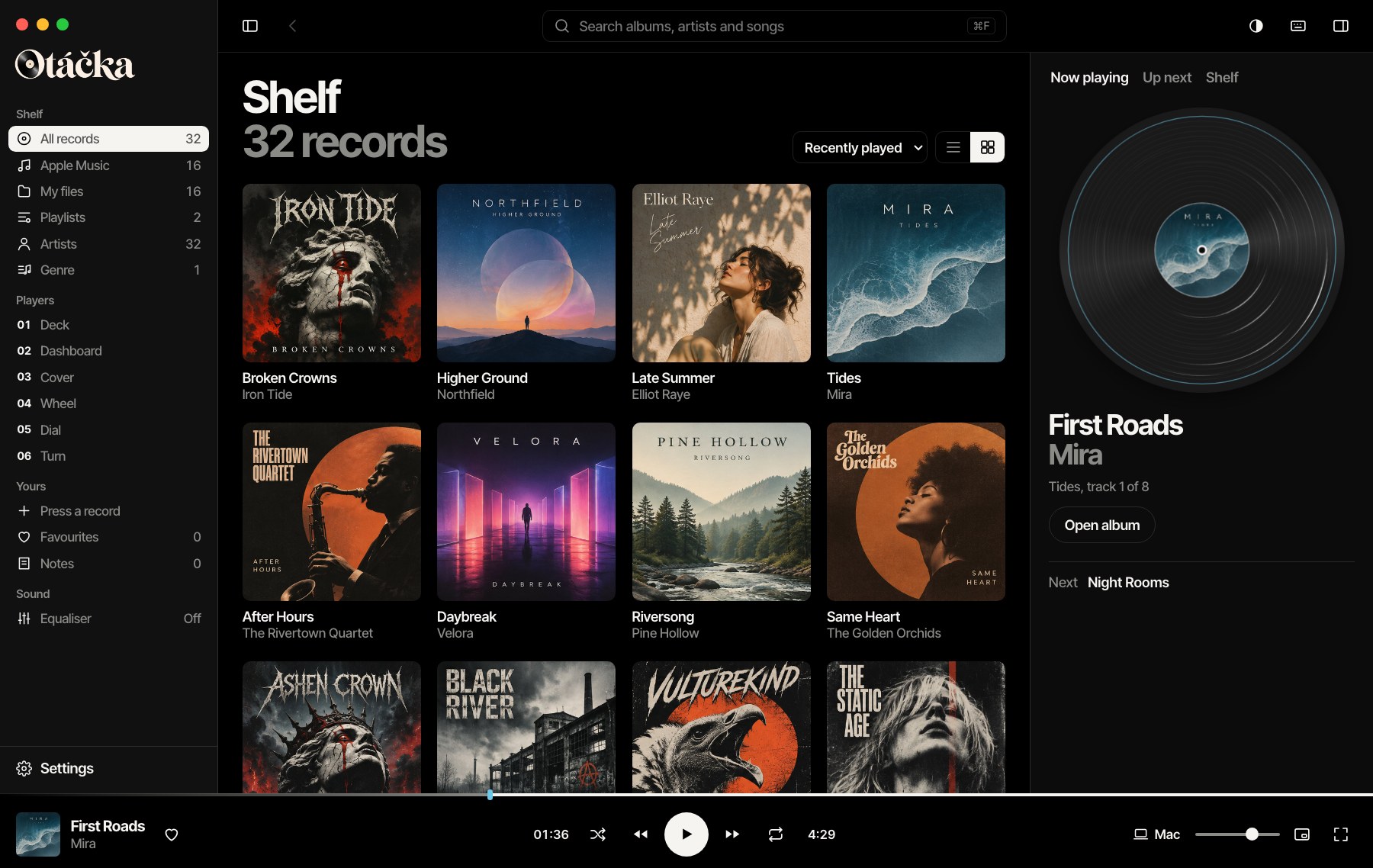
On your Mac
Your menu on the left, your shelf or any of the six players in the middle, and the record turning on the right. It plays the music files already on your Mac.
In testing A working app, in early testing. Details may change before release.
What it does
Your menu, your shelf or a player, and the record. Drag the edge of the menu or the right panel to resize it, or collapse them. The panel has Now playing, Up next and a Shelf tab.
Pick one from the menu or press 1 to 6. Each one can fill the whole window.
A small record and controls that stay on top of whatever you are doing.
Click Album, Artist, Year, Songs or Plays to sort, and browse by artist or genre.
Two calm looks, and the label takes its colour from each cover.
Close the window and the music carries on. Click the Otáčka icon in the Dock to bring it back.
Your music
Otáčka reads your Music library and any folder you add, and plays the files as they are. It plays them like a good turntable should: no fake crackle, and no gap between songs on an album.
Plays mp3, m4a, aac, wav, aiff, flac and caf files, from your Music library or any folder you choose.
Songs on an album that share the same quality run into each other with no gap.
Change the speed and the music really plays slower or faster, with the pitch following, as on a turntable.
Send the sound to any speakers or headphones. Your choice is remembered, the list updates as you plug things in, and the music pauses if you unplug your headphones.
The play and skip keys on your keyboard work, and Control Center shows what is playing.
It plays files on your Mac and makes no outside connections. Nothing leaves your Mac.
Apple Music songs are protected, so the test version cannot play them. It plays your own files.
Sound
A simple equaliser for everyone, and two Pro versions with ten bands, a response curve you can drag, Match loudness and your own compressor.
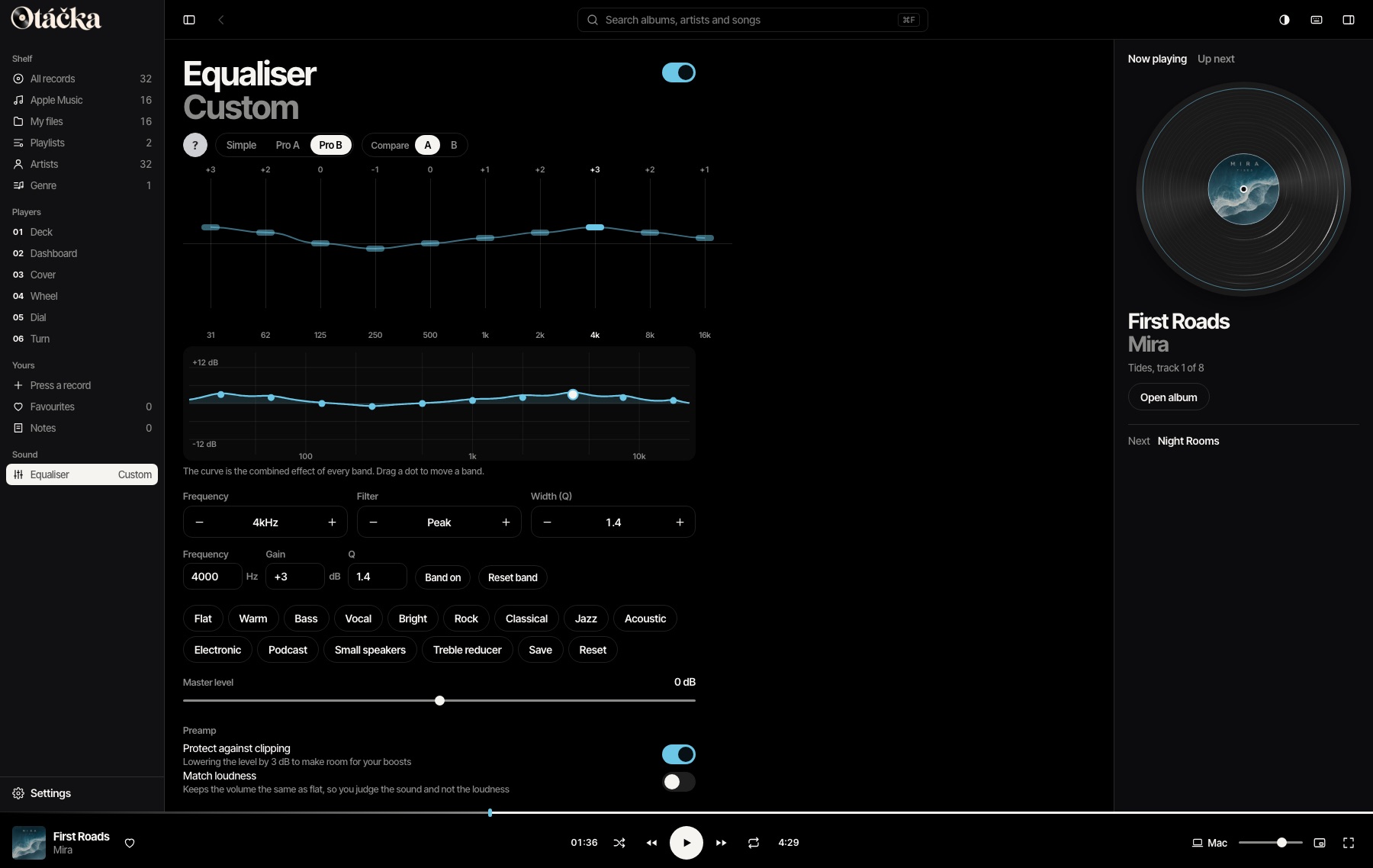
The Pro B equaliser on a Mac, with sample albums.
At your fingertips
| Key | What it does |
|---|---|
| Space | Play or pause |
| Left and right arrows | Previous or next song |
| Command F | Search |
| 1 to 6 | Pick a player |
| L | Collapse the left menu |
| F | Full view |
| M | Mini player |
What it needs
| Details | |
|---|---|
| macOS | macOS 13 or later for the standard version. A separate version for older Macs runs on macOS 10.15 (Catalina) and later. |
| Older Macs | On macOS 10.15, 11 and 12, install the latest Safari update first (Software Update). Otáčka uses the same web engine, and needs Safari 15 or later. |
| Chips | Apple silicon and Intel. |
| Music | Files on your Mac, in your Music library or any folder you add. Songs that only stream from Apple Music cannot play in this version. |
| Opening it | The test version is not registered with Apple yet, so your Mac asks you to confirm before it opens. Right-click it, choose Open, then click Open. The first time, it asks to read your Music folder. |
| Internet | Not needed. It makes no outside connections. |
Want to try the Mac test version? Join the list below and choose Mac.
Leave your email and be one of the first to try it. Choose the version you want, and you'll hear when that one is ready.
Thank you. We'll be in touch.
We use your email only to tell you about Otáčka. Privacy