FreeSlate
Features

Everything a one-person studio needs.

From the first enquiry to the final payment, with the checklists and client pages in between. Here is every part of FreeSlate, with real screens from the app.

TodayProjectsBriefsScopeInvoicesRevenueLeadsTimeCalendarMood boardsChecklistsSyncPhone
Your day

Open it and know what needs you.

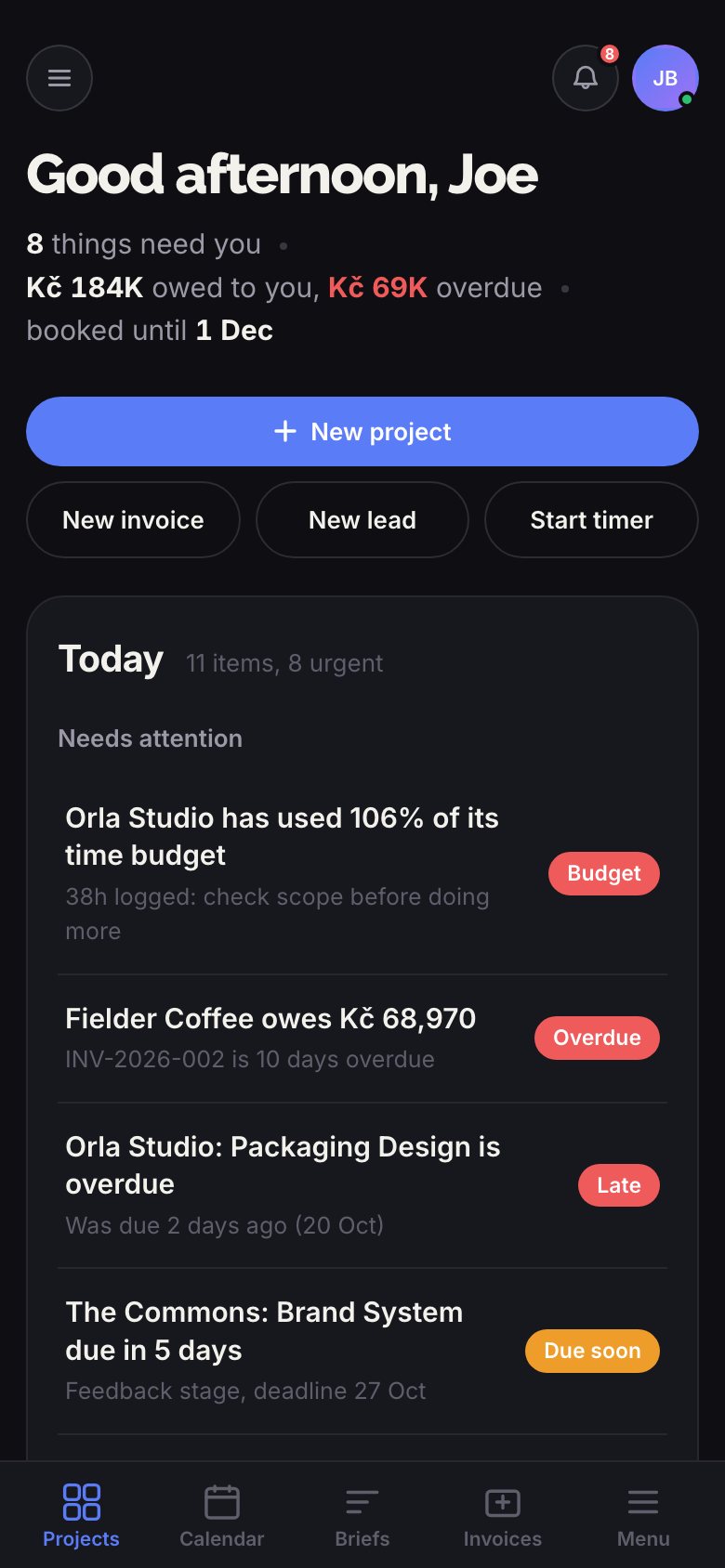
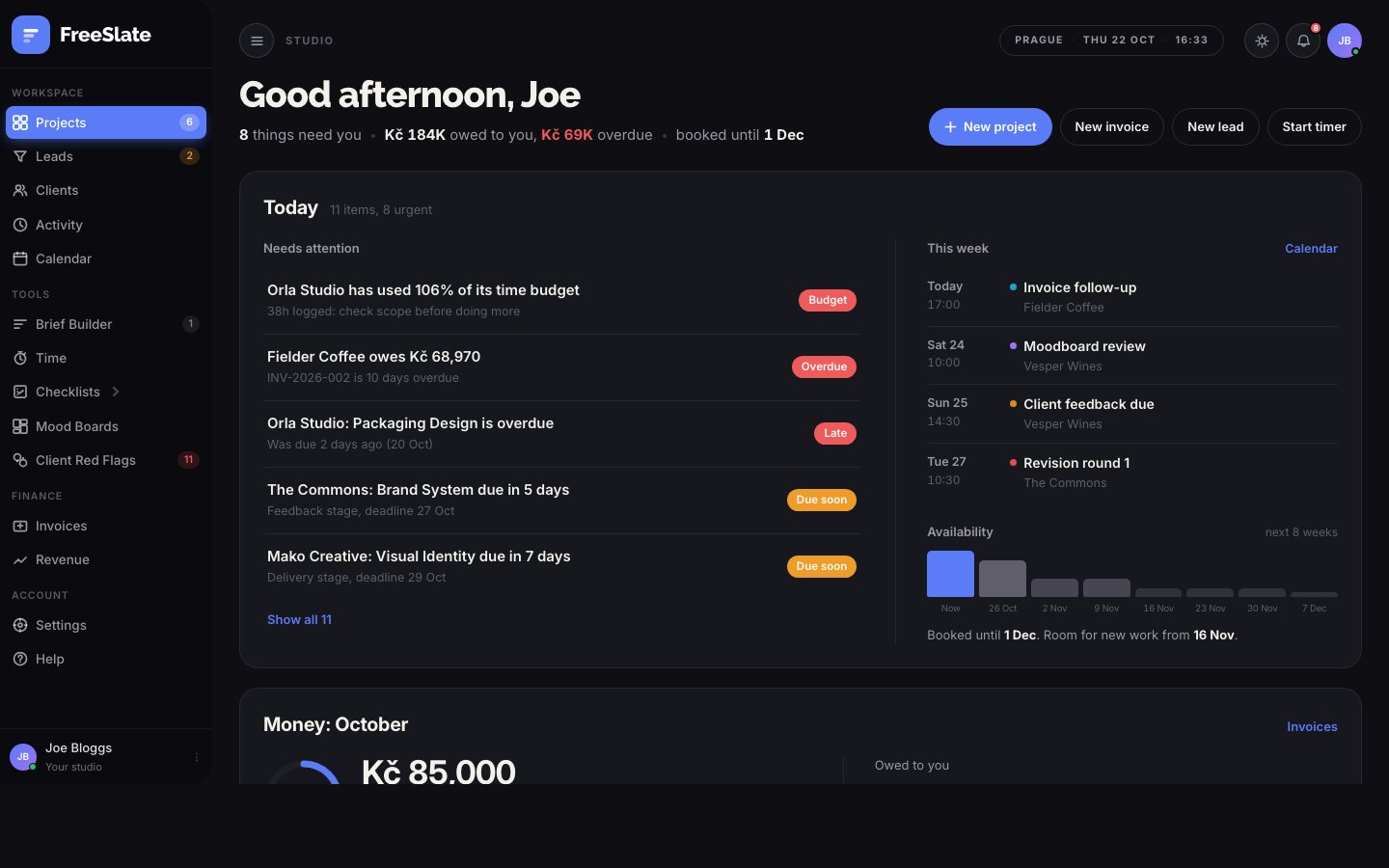
The dashboard puts the day in order: what is overdue, what is due soon, who owes you money, what is on this week and how booked you are for the next two months.

  • A "Needs attention" list, most urgent first
  • Money this month against your target
  • This week at a glance, and when you can take on new work
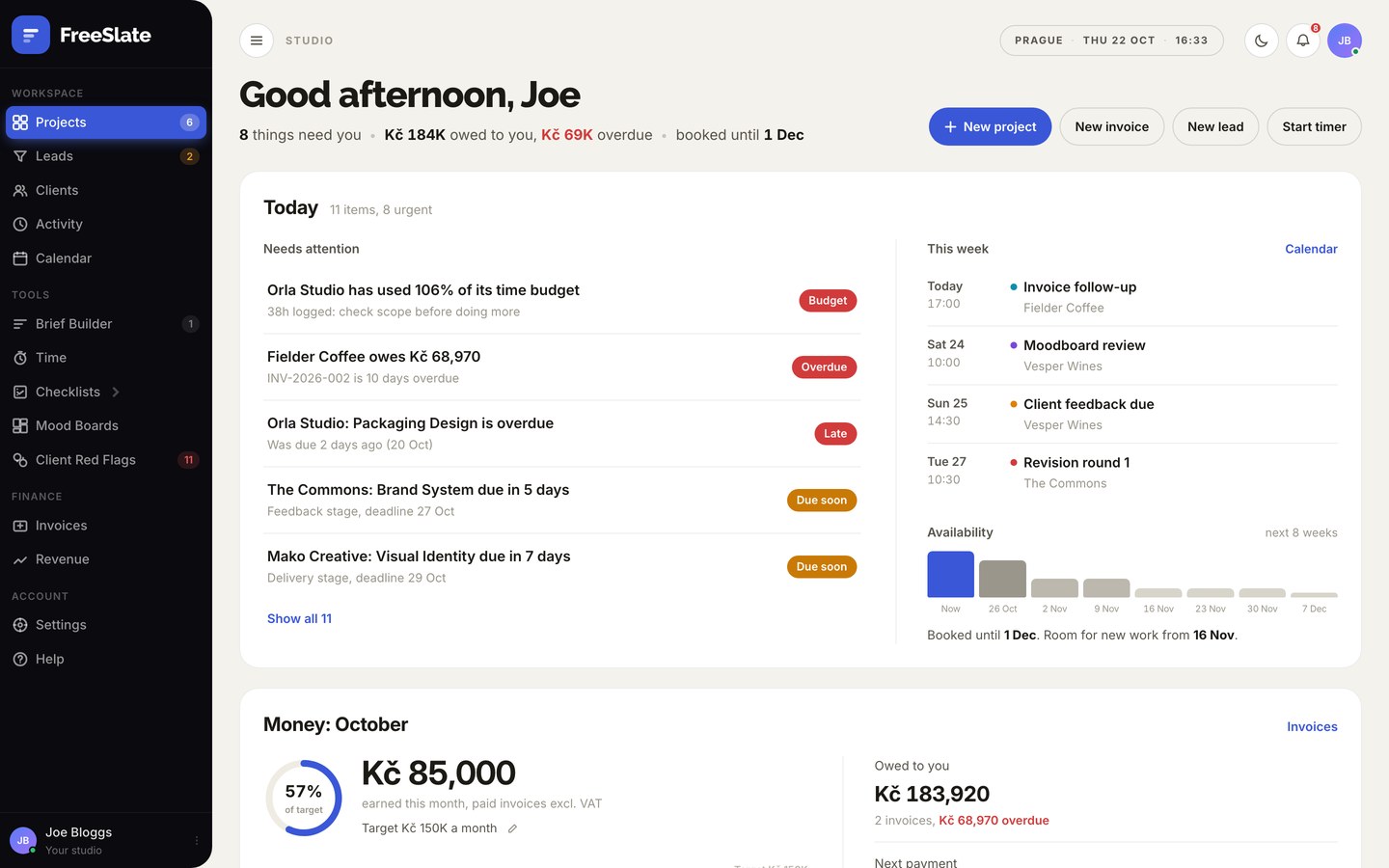
The FreeSlate dashboard
Projects

Six stages. No guesswork.

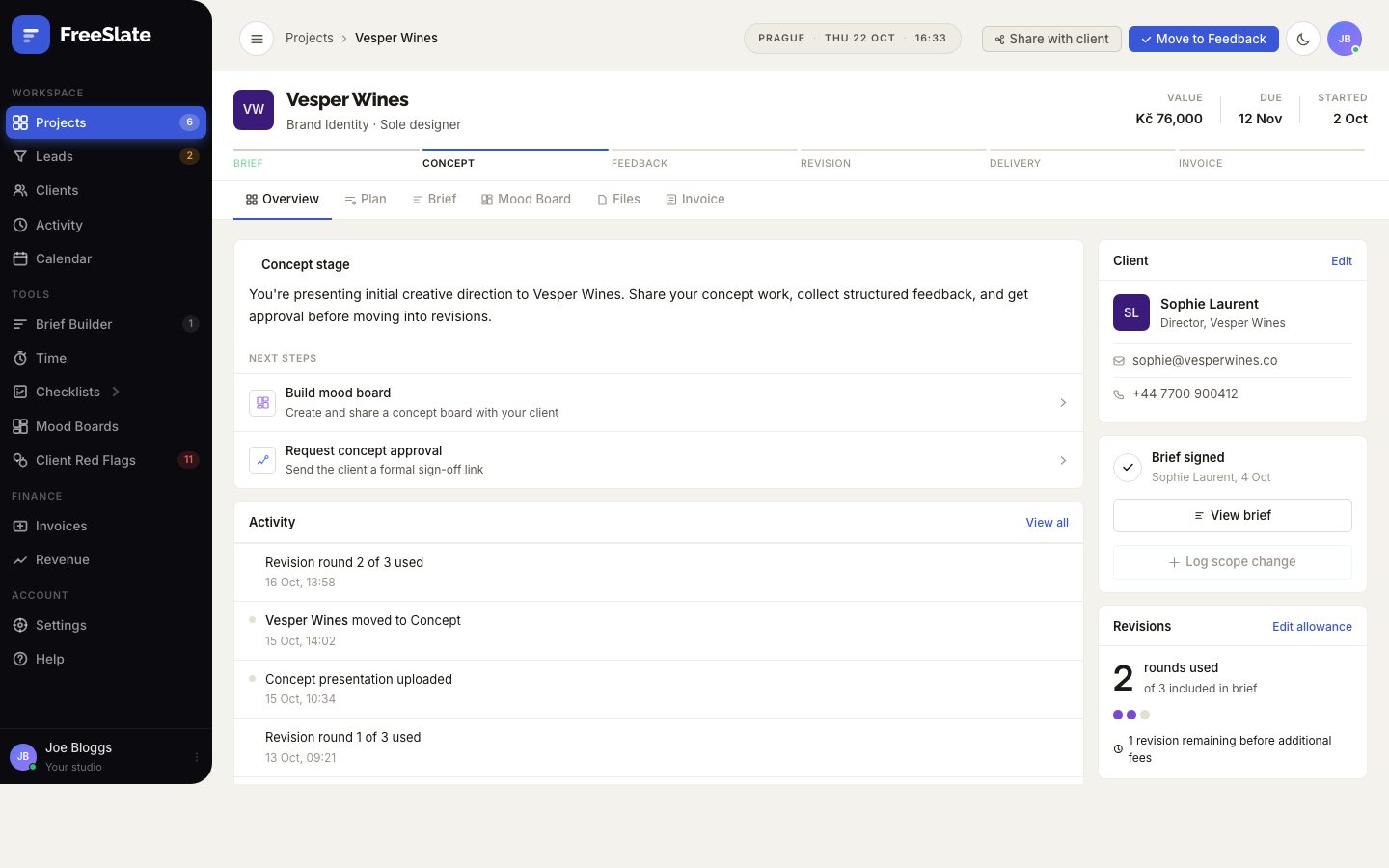
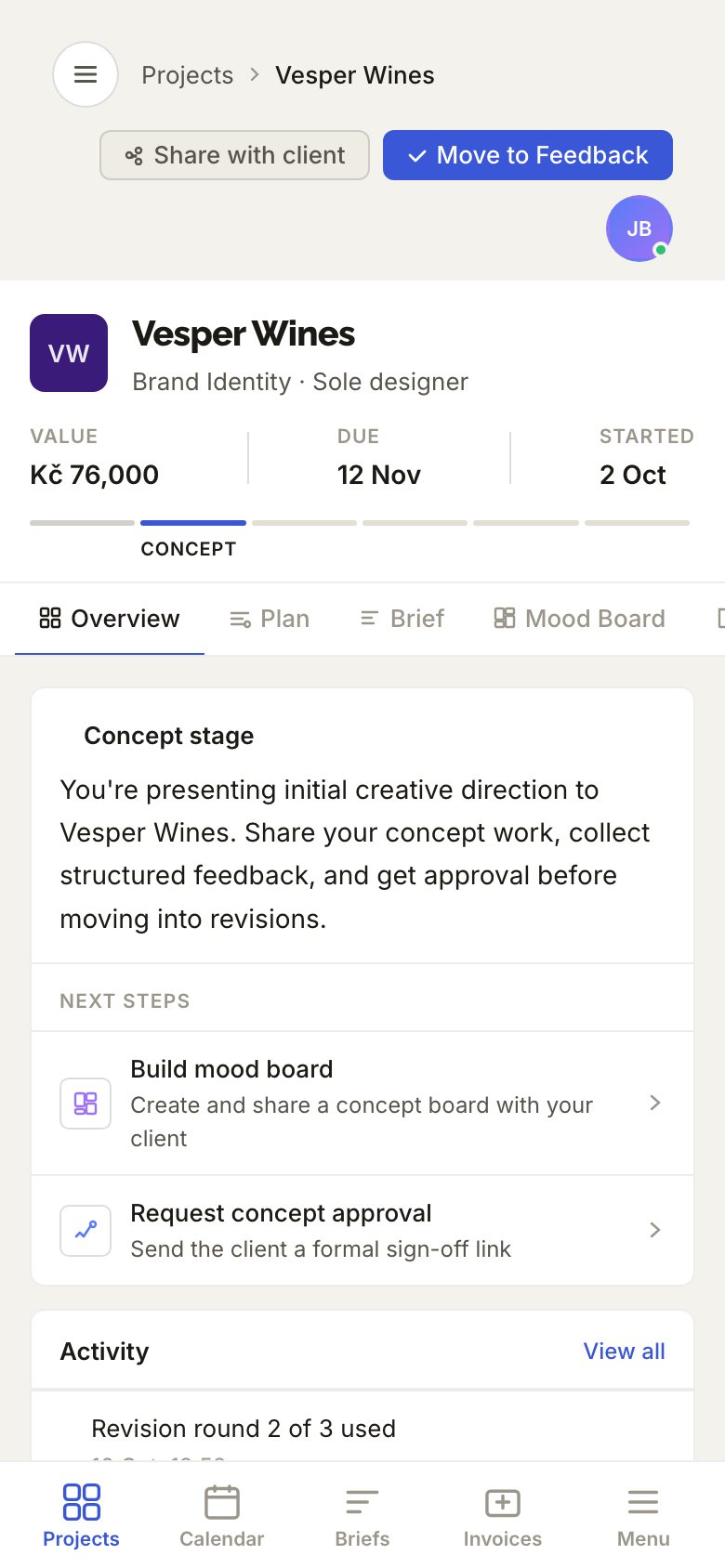
Every project moves from Brief to Concept, Feedback, Revision, Delivery and Invoice. Each stage tells you what to do next, and the whole project lives on one page: client, brief, plan, mood board, files and invoice.

  • List, board and timeline views of every project
  • A dated task plan for every stage, built from your deadline
  • Client contact, brief status and project details side by side
A project page in FreeSlate
Briefs

Briefs your clients actually sign.

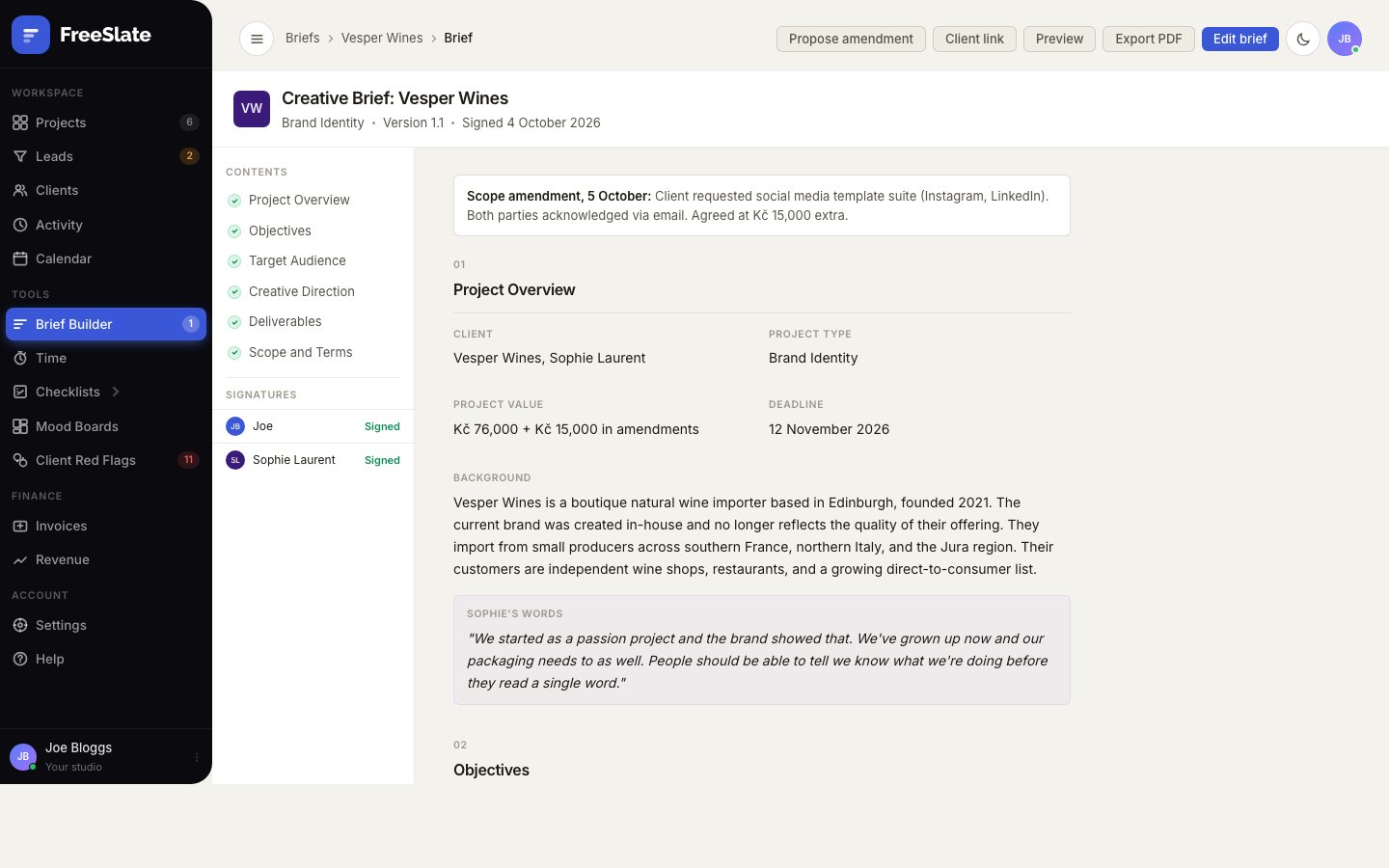
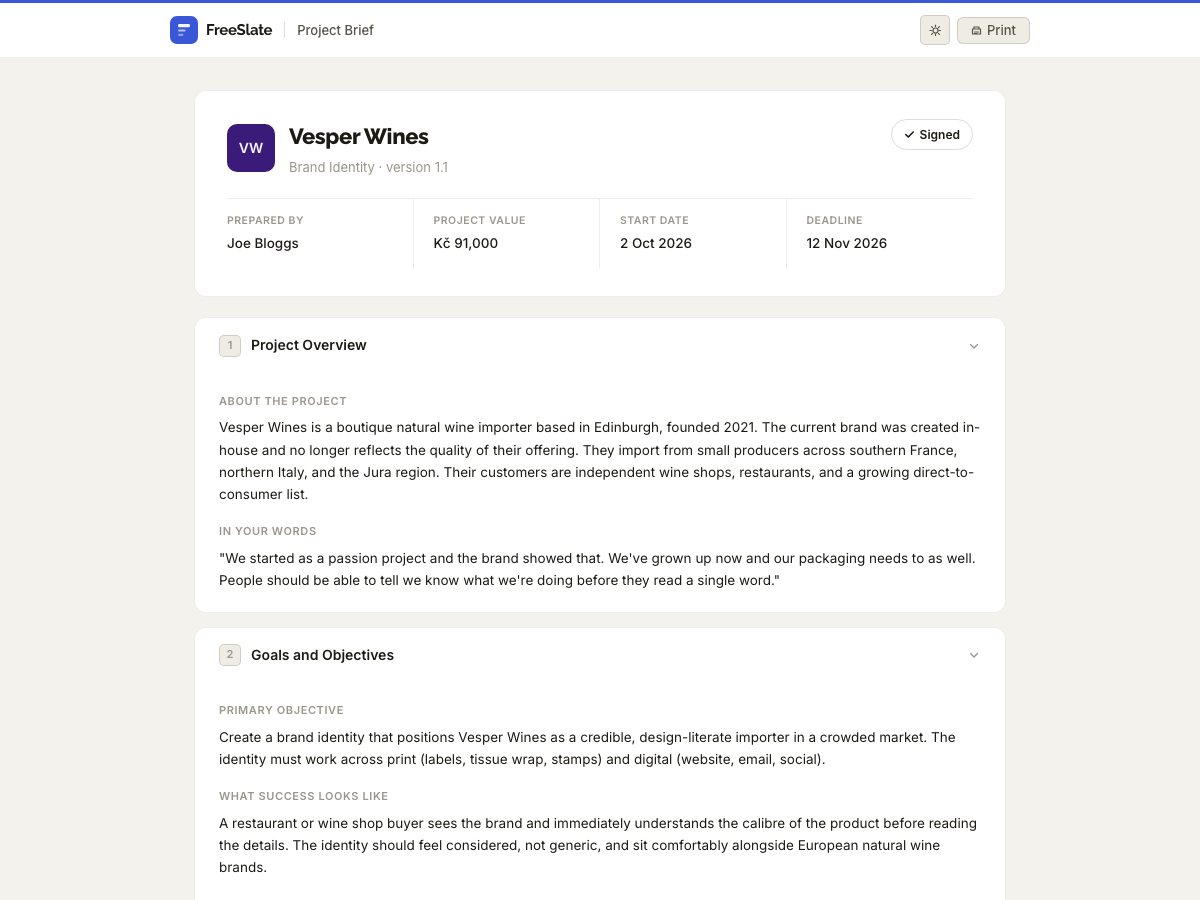
Start from a template for brand, web or packaging work and edit it into shape. Sign it, then press Get client link and send it by email or message. Your client reads the brief in their browser, signs it or asks for changes, and sends back a short receipt code that FreeSlate checks against the exact wording.

  • Overview, objectives, audience, direction, deliverables and terms
  • Your client's own words kept alongside your notes
  • Edit a signed brief and it becomes a new version to sign again
  • Client links need no account, and the brief is never stored on a server
  • Export a clean PDF in one click
The brief builder
The page a client sees to read and sign a brief
Scope protection

Catch scope creep while it is still small.

FreeSlate counts revision rounds against what the brief allows and logs every extra request as an amendment with its fee. Each project shows one clear status, Healthy, Watch or Over, and when the included rounds run out it drafts the awkward email asking for more.

  • A scope status on every project, with the reasons one tap away
  • A drafted request for extra revisions, at the rate in your brief
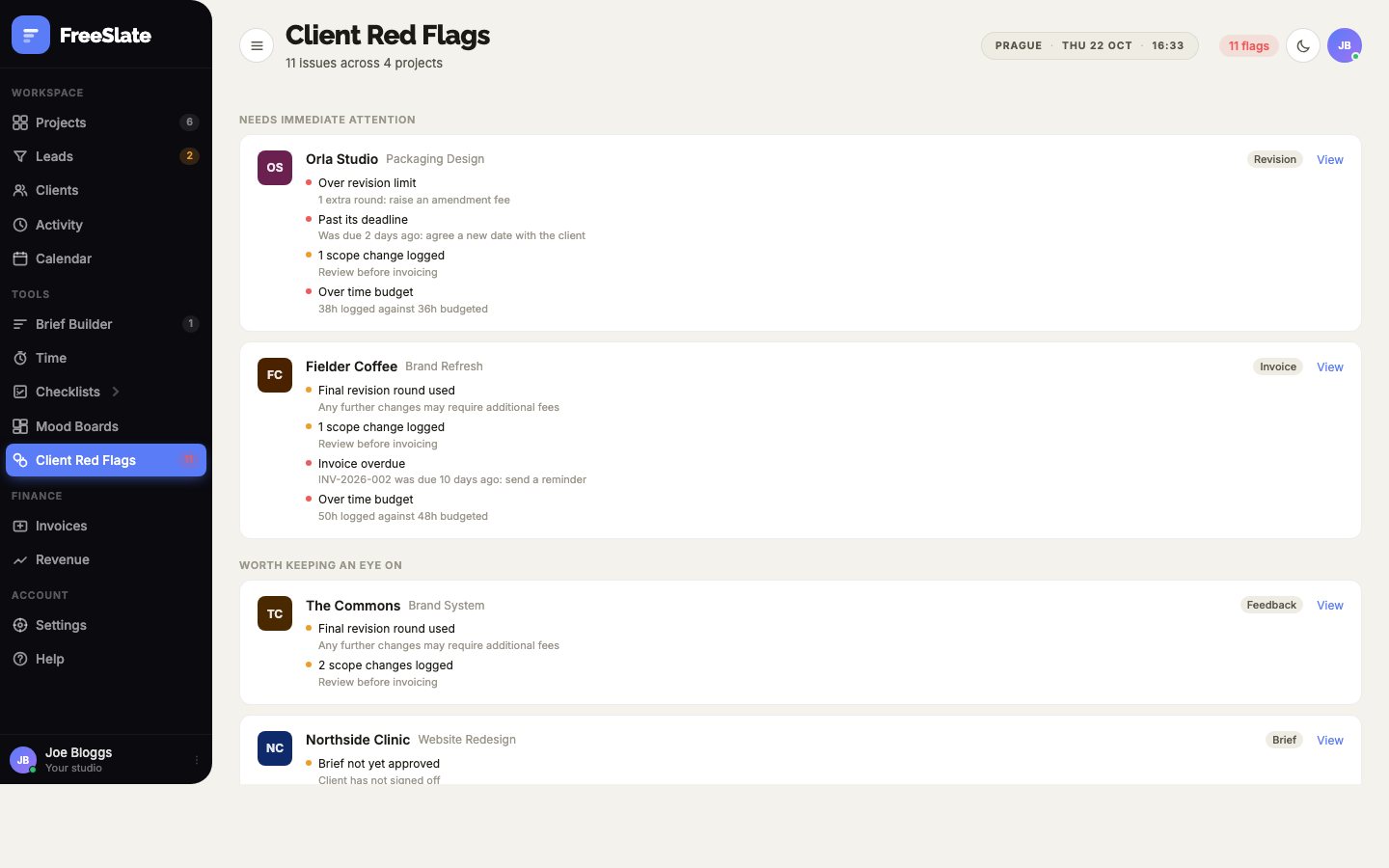
  • Client Red Flags: over the limit, late, over budget or unpaid
Client Red Flags page listing projects that need attention
Invoices

Invoices in minutes, in your currency.

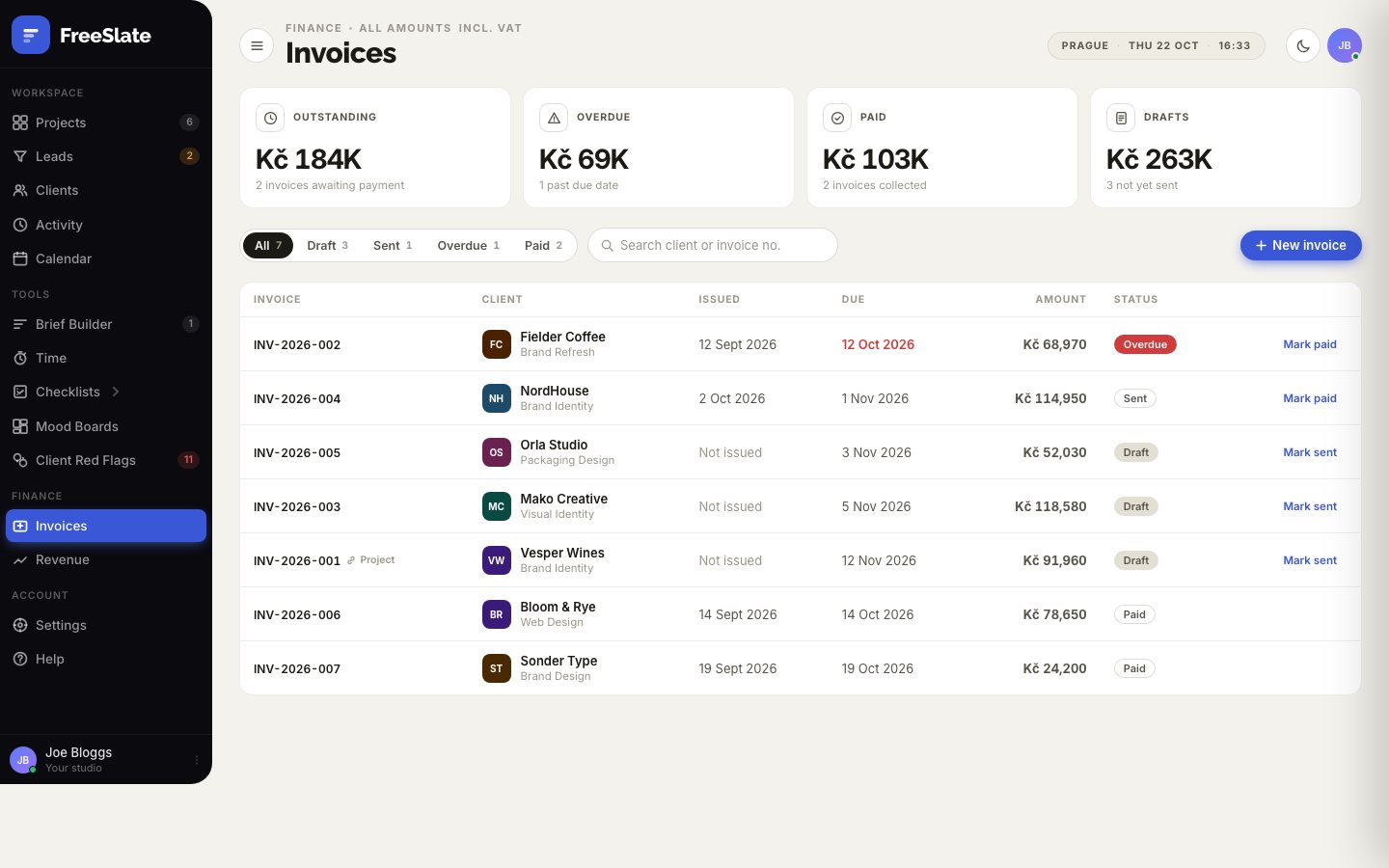
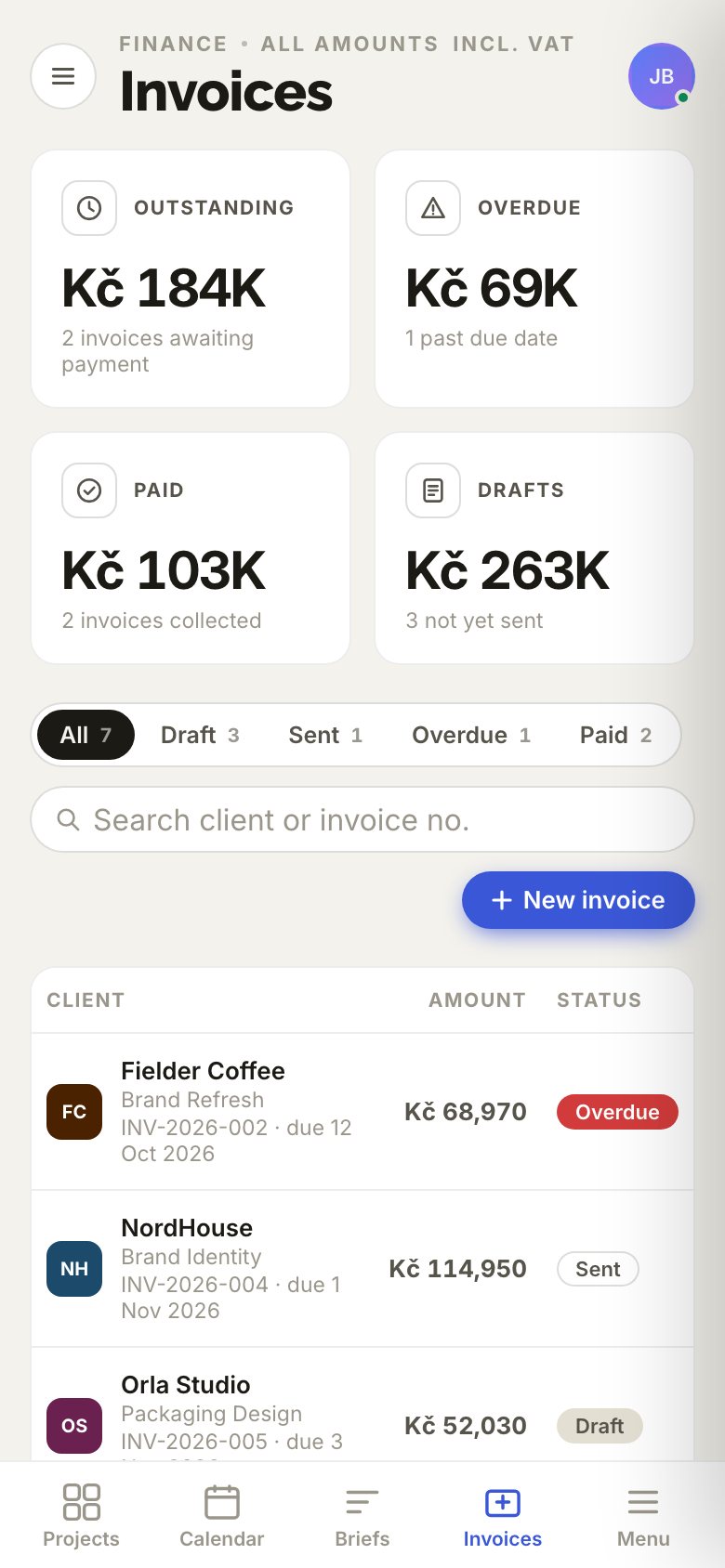
Add line items, and your VAT, GST or sales tax is worked out for you. Email the invoice straight from your own mail app, send a polite reminder when it is late, and mark it paid when the money lands.

  • Any currency, with the tax type and rate you choose
  • A bank QR code clients scan to pay, for invoices in CZK or EUR
  • Deposits, part payments and a year-end export for your accountant
The invoices page
Revenue

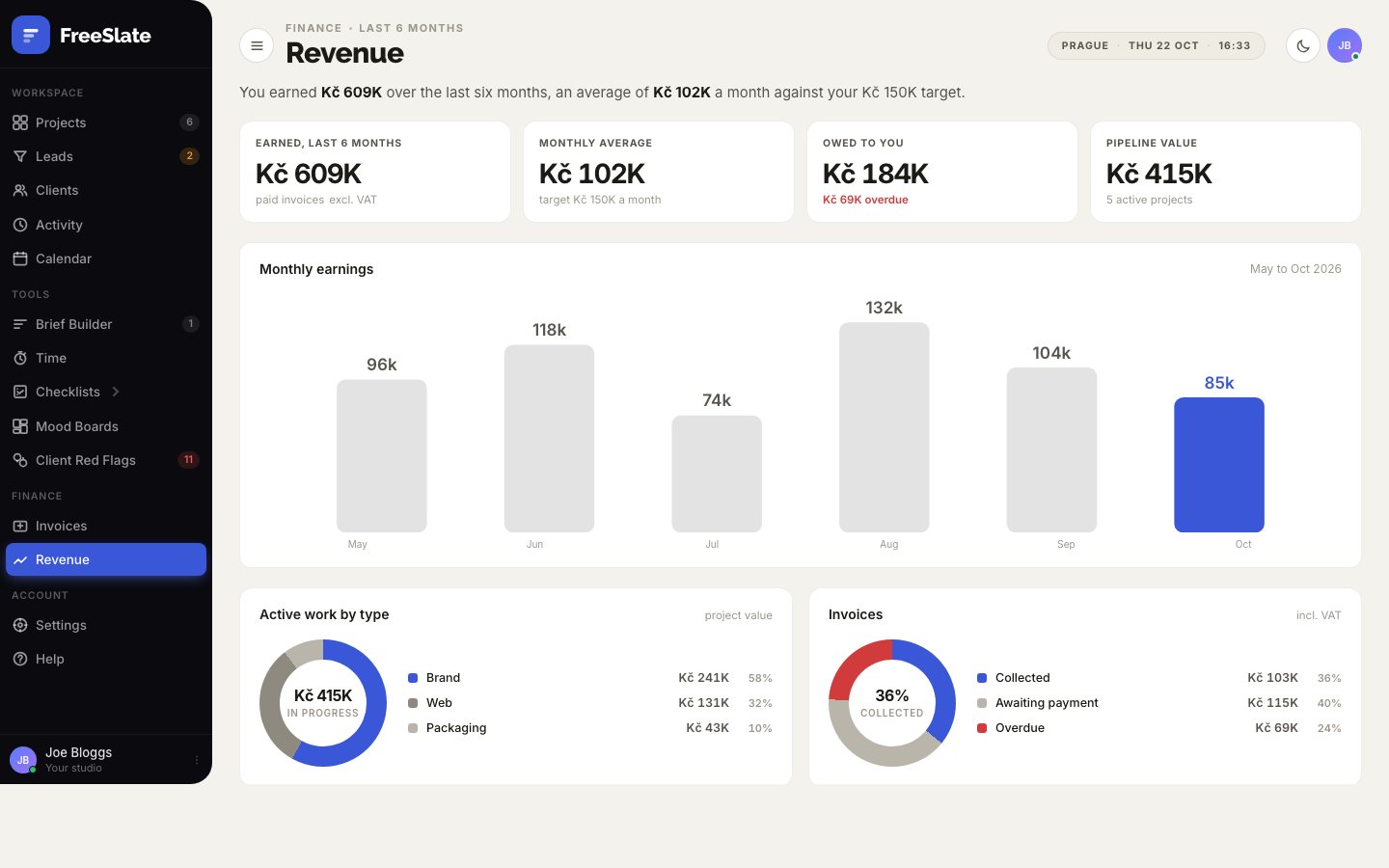
See how the year is really going.

Six months of earnings against your monthly target, what is in the pipeline, what is owed, and how your active work splits between brand, web and packaging.

  • Monthly earnings chart with your target line
  • Pipeline value and money owed
  • A suggested tax set-aside every month
The revenue page
Leads

From first enquiry to signed project.

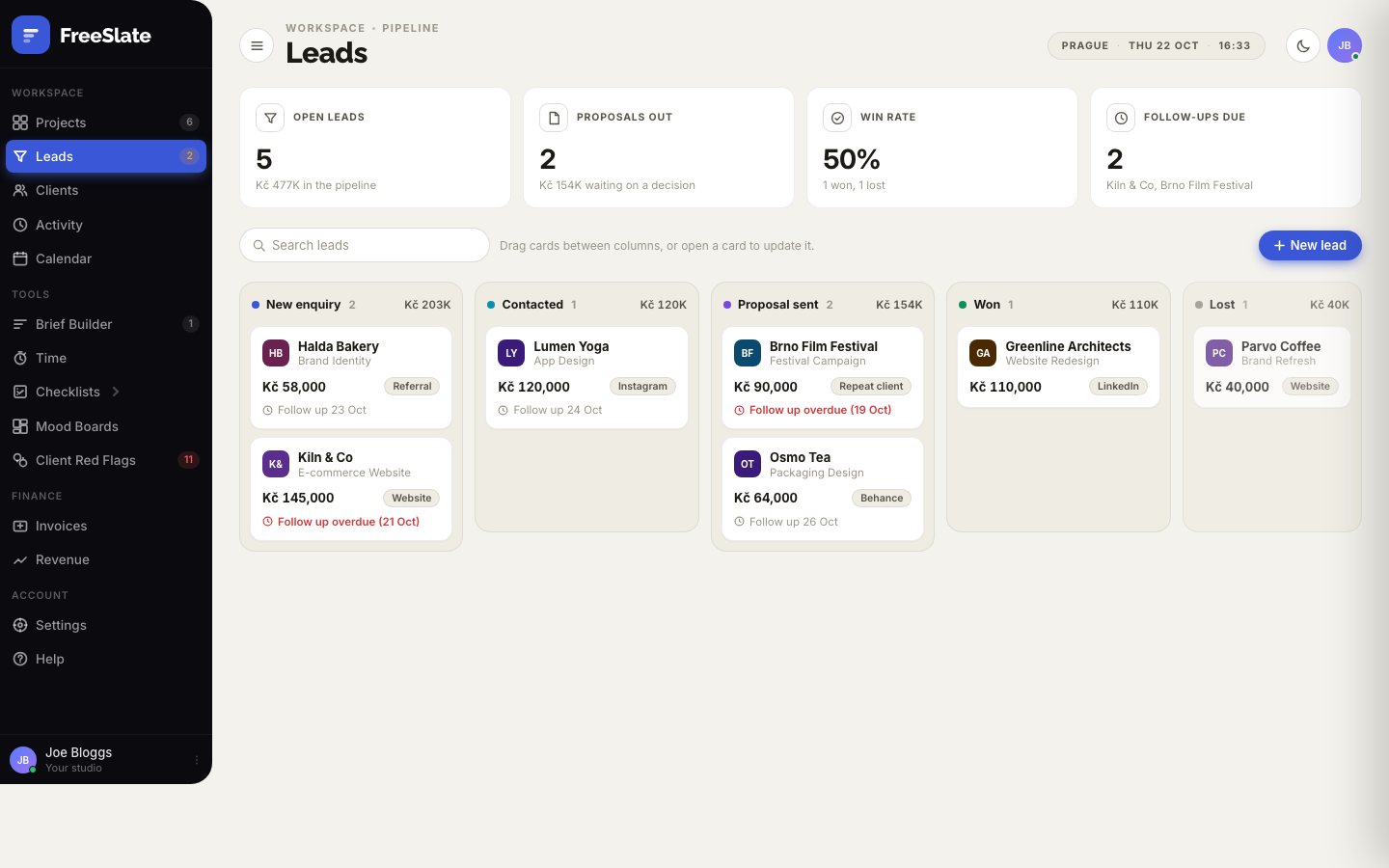
Keep every enquiry in one pipeline: new, contacted, proposal sent, won or lost. Set follow-up dates so nothing goes quiet, and turn a yes into a project in one tap.

  • A drag-and-drop pipeline on your computer
  • Follow-up reminders on your dashboard
  • Win rate and the value of open leads
The leads pipeline
Time

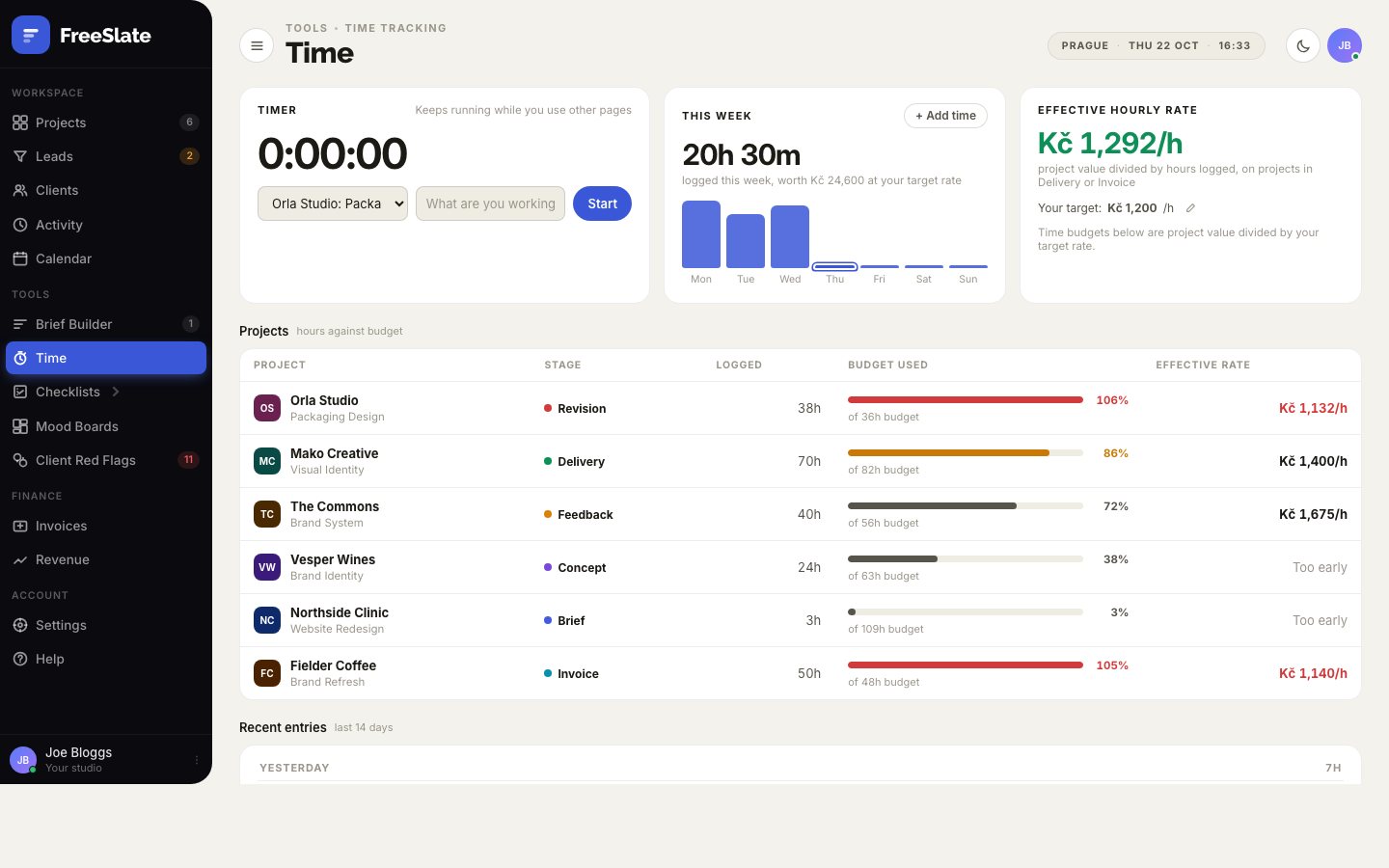
Know your real hourly rate.

A timer that keeps running while you move around the app. Each project gets a time budget from its fee and your target rate, so you can see a job turning unprofitable before it does.

  • One-tap timer, or add time by hand
  • Budget used on every project
  • Your effective hourly rate, project by project
The time tracking page
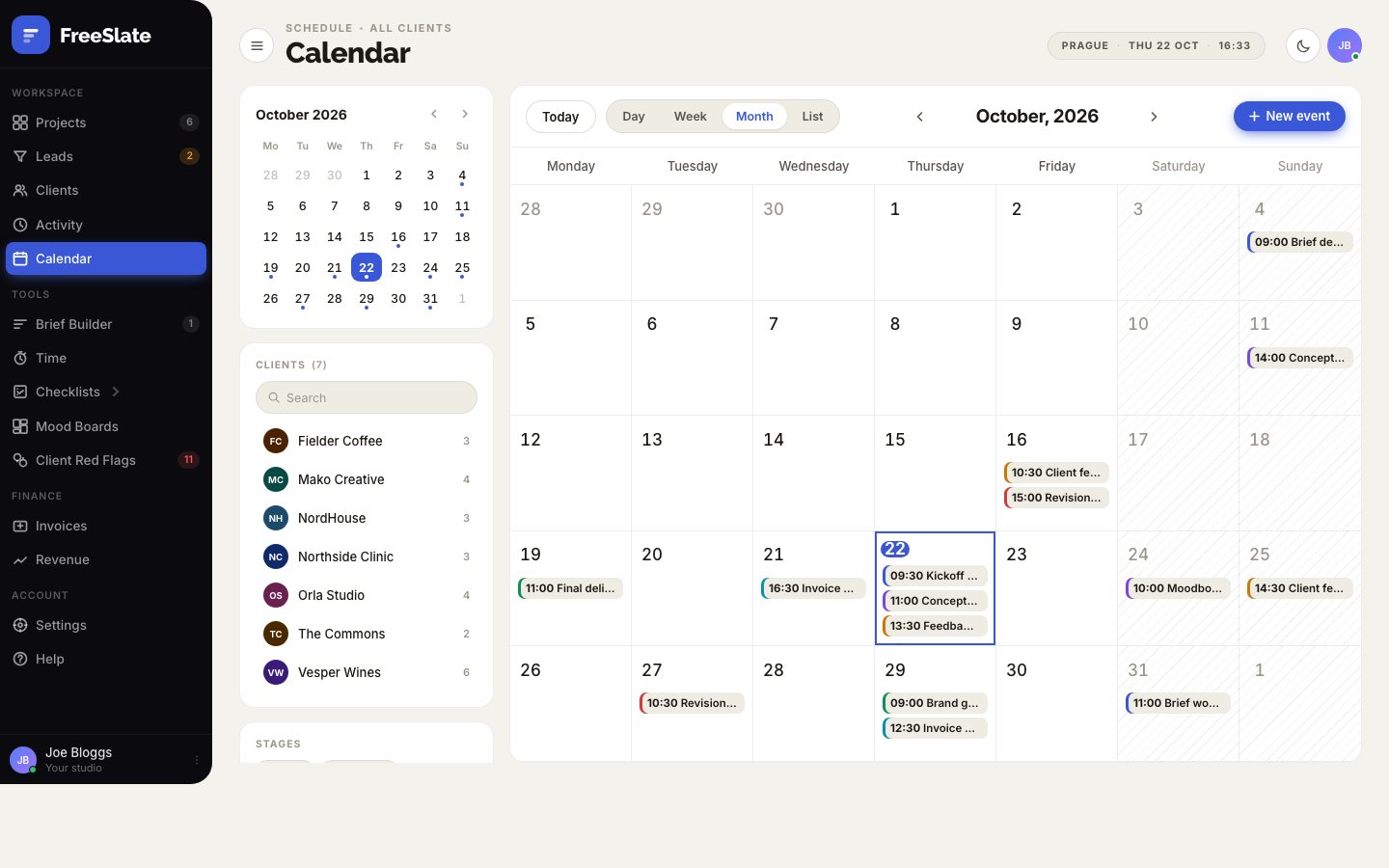
Calendar

Deadlines, meetings and money on one calendar.

Project deadlines, client meetings, reminders and invoice due dates together, by day, week, month or as a list. Filter by client or stage when a week gets busy.

  • Day, week, month and list views
  • Filter by client and stage
  • Add your own events and reminders
The calendar
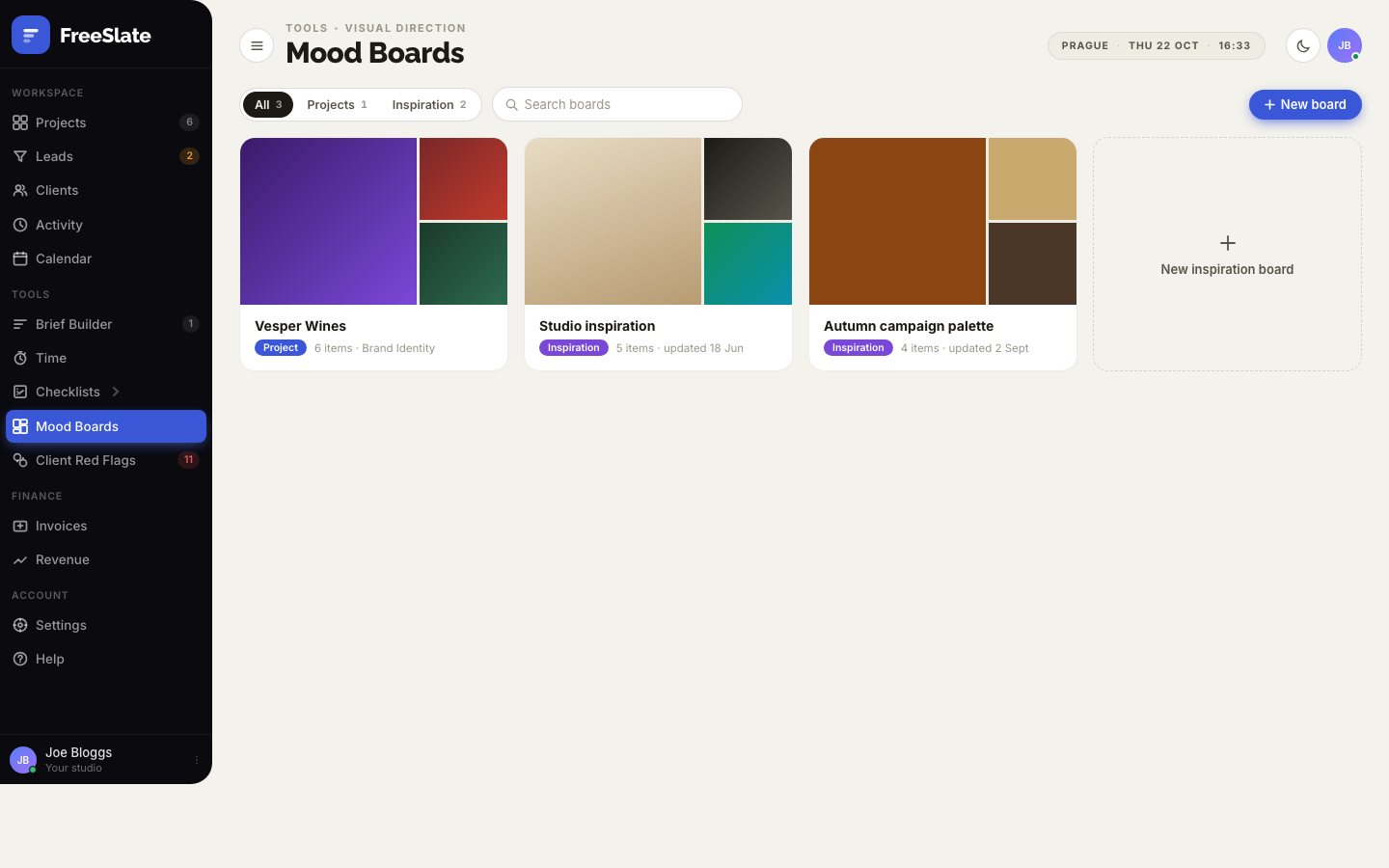
Mood boards

Set the direction before you design a thing.

A mood board for every project, plus your own inspiration boards. Upload images, paste links and add colour swatches, then share the direction with your client.

  • Boards per project and for inspiration
  • Images, web links and colour palettes
  • Kept on your device, included in backups and sync
Mood boards
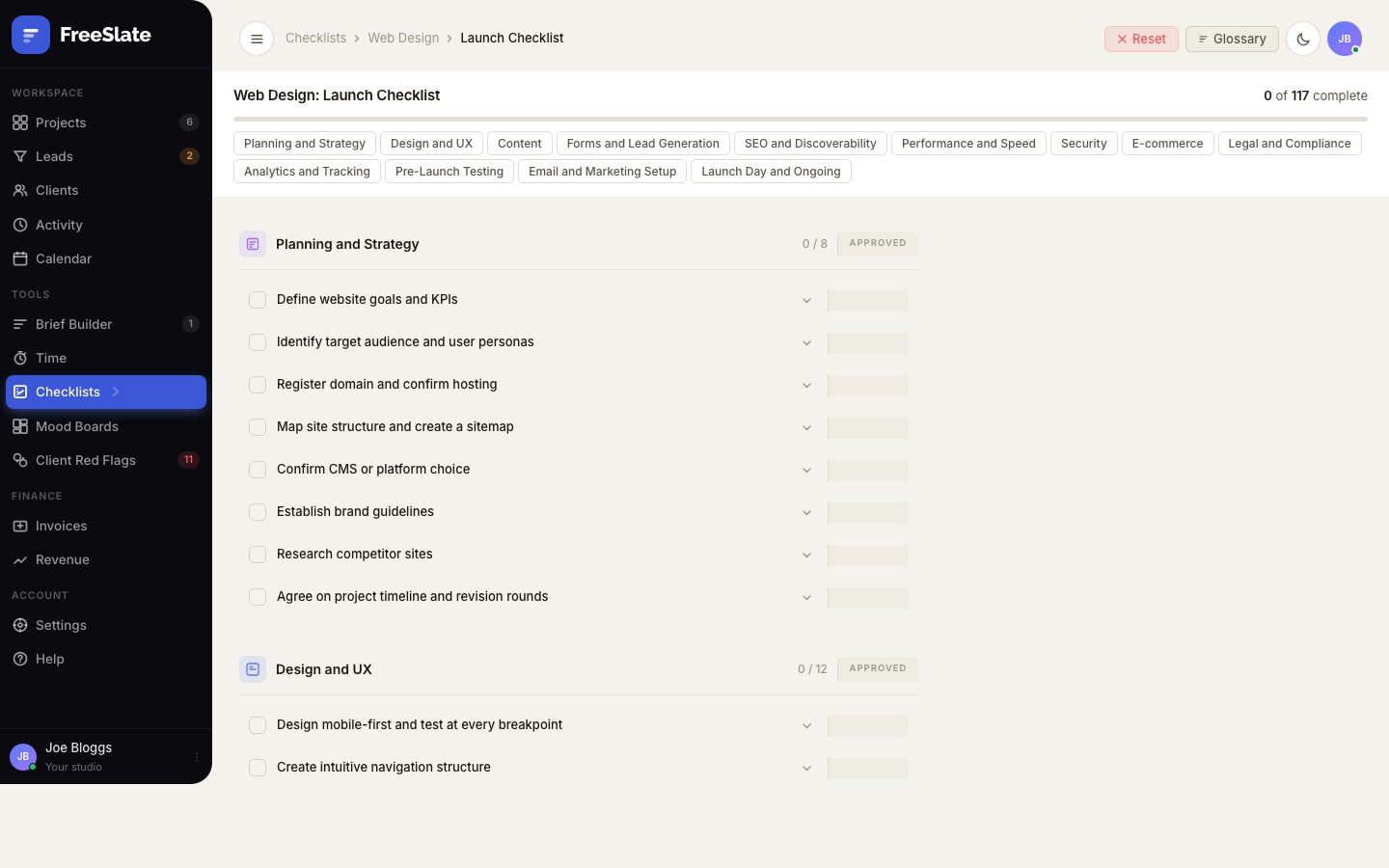
Checklists

Never forget the favicon again.

Interactive checklists for client onboarding, web, app, UX/UI and print, with QA and accessibility audits and plain-English glossaries. Your ticks are saved as you go.

  • 415 checklist items across eight checklists
  • 267 glossary terms your clients ask about
  • Kept current with WCAG 2.2 and store rules

See the whole toolkit

The web design launch checklist
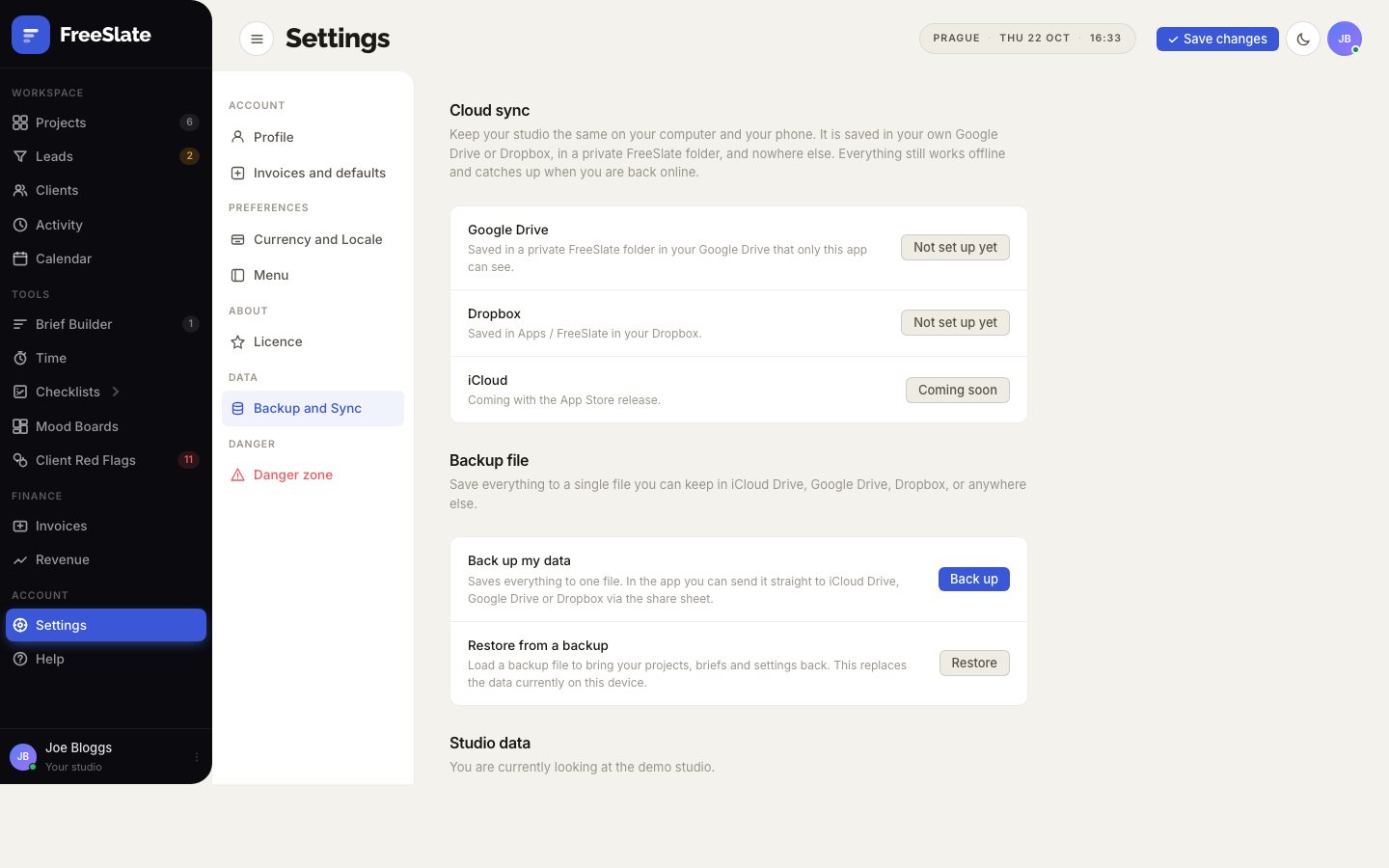
Sync and backup

Computer and phone, always in step.

Connect your own Google Drive, Dropbox or OneDrive and every device stays up to date, even after working offline. Or save a single backup file whenever you like.

  • Your studio kept in a private folder in your own account
  • Changes on two devices combined, never lost
  • One-file backup and restore

How your data is handled

Cloud sync settings
iPhone and dark mode

Made for your phone as well as your desk.

A proper phone layout with tabs at the bottom, and a dark mode that follows your device.

A project on iPhone
The dashboard on iPhone in dark mode
Invoices on iPhone
The dashboard in dark mode

Spend your time on the design, not the admin.

FreeSlate is in final testing. Join early access and we'll tell you the moment it's ready.

FreeSlate. The Free is for freelance: a paid app for freelance designers, bought once.